
Book a Demo
AI agents for education

Turn every lecture into an AI-powered learning experience.

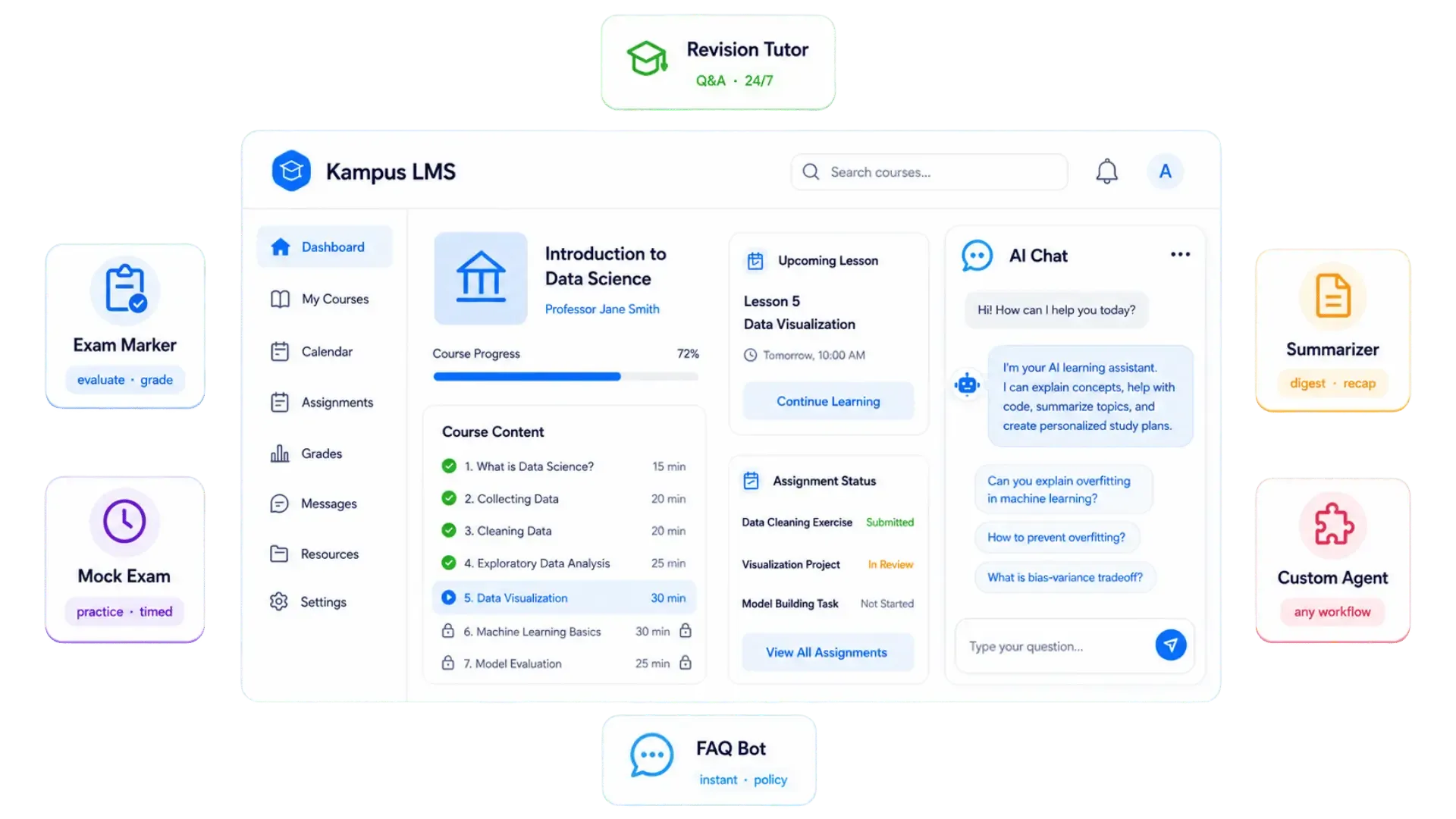
Build, configure and deploy AI agents connected to your LMS — exam markers, course summarisers, AI tutors and more. No AI infrastructure required. Bring your own OpenAI key.

  • No-code agent builder
  • Runs inside your LMS
  • Your own OpenAI key
Paper marked against rubric
Waiting for lecturer approval

How it works

From agent to approved result.

Two parts working together: the Agent Builder where staff configure agents, and the Agent Executor that runs them inside your LMS.

  1. 01

    Pick an agent type

    Exam marker, revision tutor, summariser, mock exam engine and more.

    Agent Builder
  2. 02

    Add knowledge

    Lecture notes, rubrics and course documents per agent.

    Knowledge base
  3. 03

    Students work as usual

    Submissions and sessions start in the LMS.

    LMS
  4. 04

    The agent runs

    The executor runs the workflow on your OpenAI key.

    Agent Executor
  5. 05

    Lecturer approves

    High-stakes results wait in a review queue.

    Approval queue

What you can build

An AI team for every course — without hiring one.

See all features
Exam marking workflow

Mark 500 papers against your rubric.

Students submit as normal. Papers go to the marking agent, are evaluated against your rubric and held for lecturer approval.

Marking queue
  • Paper 1 · Strategic case
    Ready for review
  • Low confidence
    Flagged
Agent type catalogue

Start from a proven agent type.

Pre-built types for every educational workflow, or build a fully custom agent.

  • Exam marker
  • Revision tutor
  • Module summariser
  • Mock exam engine
  • Debrief generator
  • FAQ bot
  • Custom

No-code Agent Builder

Guided setup, per-agent scope controls and dry-run testing.

LMS Agent Executor

A plugin that picks up student events in your LMS and runs the configured agent.

Revision tutors & Q&A

24/7 tutors grounded in the materials you upload — not generic internet answers.

Per-agent knowledge bases

Updates take effect immediately, without redeploying the agent.

Approval queues & audit trail

Every approval, edit and rejection logged — ready for moderation and accreditation.

Cost dashboards

Spend and usage by agent, module and period — token costs direct, no markup.

See all features

Your data, your key

AI that stays inside your institution.

Production AI runs inside your LMS plugin, on your own OpenAI key.

Student data stays on your server

Submissions, course files and answer papers never leave your institution's server.

Bring your own OpenAI key

Choose the model per agent; you pay OpenAI directly with full visibility.

Humans approve high-stakes results

Require lecturer approval before results reach students, configurable per agent.

Only metadata is stored

Kampus Sense keeps agent configurations, run statuses and token usage logs.

FAQ

Questions about Kampus Sense.

Still have questions? Talk to our team

What AI models does Kampus Sense support?

Any OpenAI model accessible via your API key — including GPT-4o, GPT-4o mini, and future models as they become available. You choose the model per agent, allowing cost and performance trade-offs per use case.

Does Kampus Sense store student data or exam submissions?

No. All production AI execution happens inside your Wave plugin. Student submissions, course files, and answer papers never leave your institution's server. Kampus Sense only stores metadata — agent configurations, run statuses, and token usage logs.

Do I need technical skills to build agents?

No. Agents are configured through a guided, no-code wizard. Your IT team handles the one-time Wave plugin installation. After that, lecturers configure and manage agents entirely through the browser interface.

Is the marking fully automated or does a human review it?

Both modes are supported. You can require lecturer approval before results are visible to students, or enable fully automated release — configurable per agent. Low-confidence submissions are always flagged for optional manual review.

How is Kampus Sense pricing structured?

Kampus Sense charges a platform fee based on your subscription plan. OpenAI API costs are entirely separate — you pay OpenAI directly, with full visibility via the built-in cost and token usage dashboard.

See Kampus Sense in action.

Add AI agents to your institution without replacing your LMS or exposing student data.

© 2026 Kampus. All rights reserved.